 Omnoti
Text messages from Omnoti
Omnoti texts from one US number, and only a phone that asked. Here is every text it sends, and the switch that turns the club’s on.
What arrives by text
- One confirmation, when you turn club texts on: “Omnoti: you’ll get [club]’s urgent messages by text. Msg frequency varies. Msg & data rates may apply. Reply HELP for help, STOP to cancel.”
- Your club’s urgent messages, the ones an officer marks “everyone, now”, and only after you turned texts on: “Omnoti: [Club] sent an urgent message to everyone. [title]. [the first words] Read it all: [link] Reply STOP to stop club texts.”
Nothing else. Sign-in codes go by email; Omnoti never texts one. Omnoti never texts an invite, a reminder or a request to a number from a club’s roster; a secretary who wants to text you an invite sends it from their own phone.
The switch
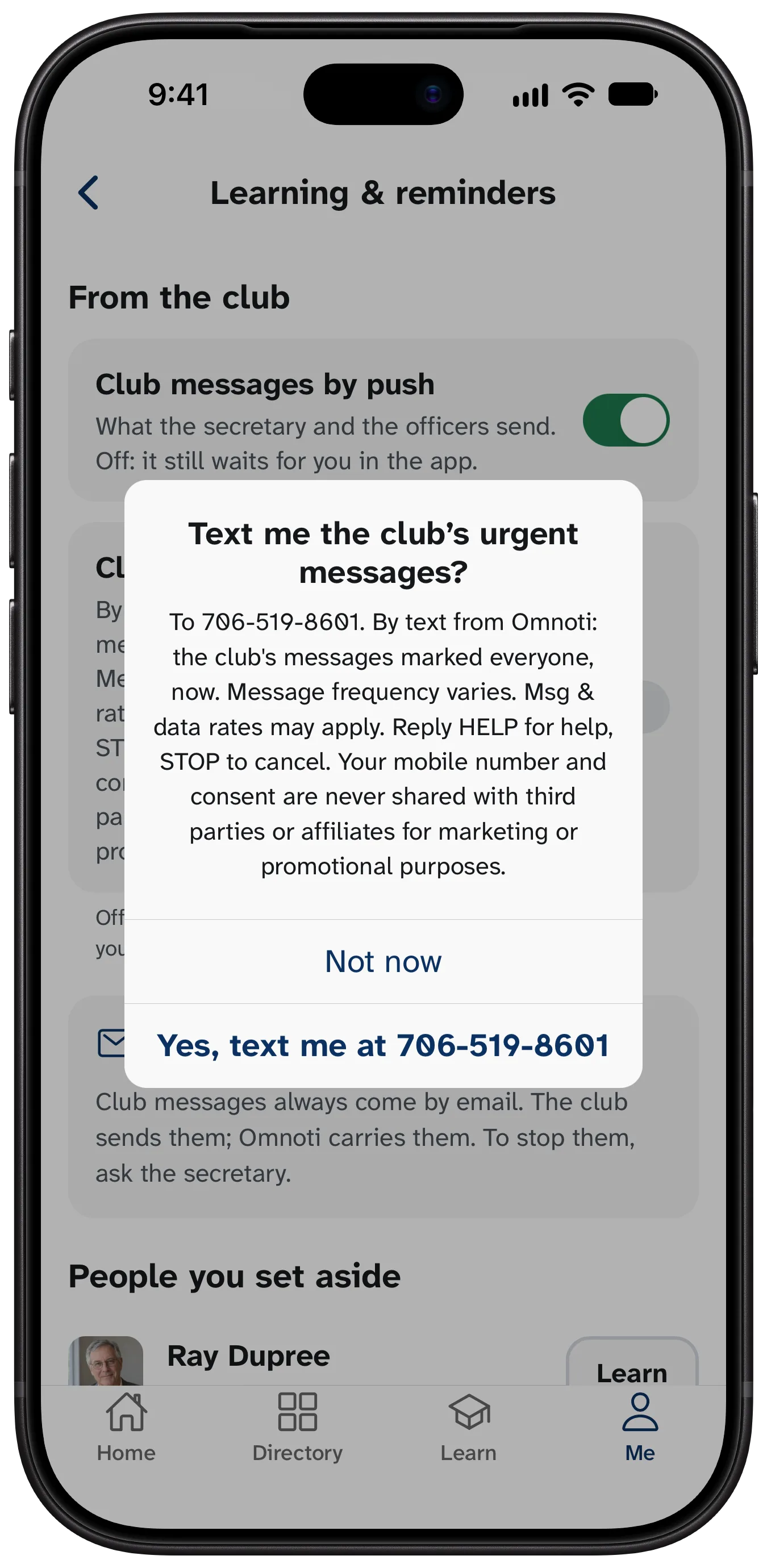
Club texts are off until you turn them on, under Me → Learning & reminders → Club messages by text. The words beside the switch are the whole program. Tap it and the app says back the mobile number on file for you, with the same words, and asks: Yes, text me at 706-555-0142 or Not now. The yes is your consent, recorded with the date, the number and the words you saw, and one text confirms it.
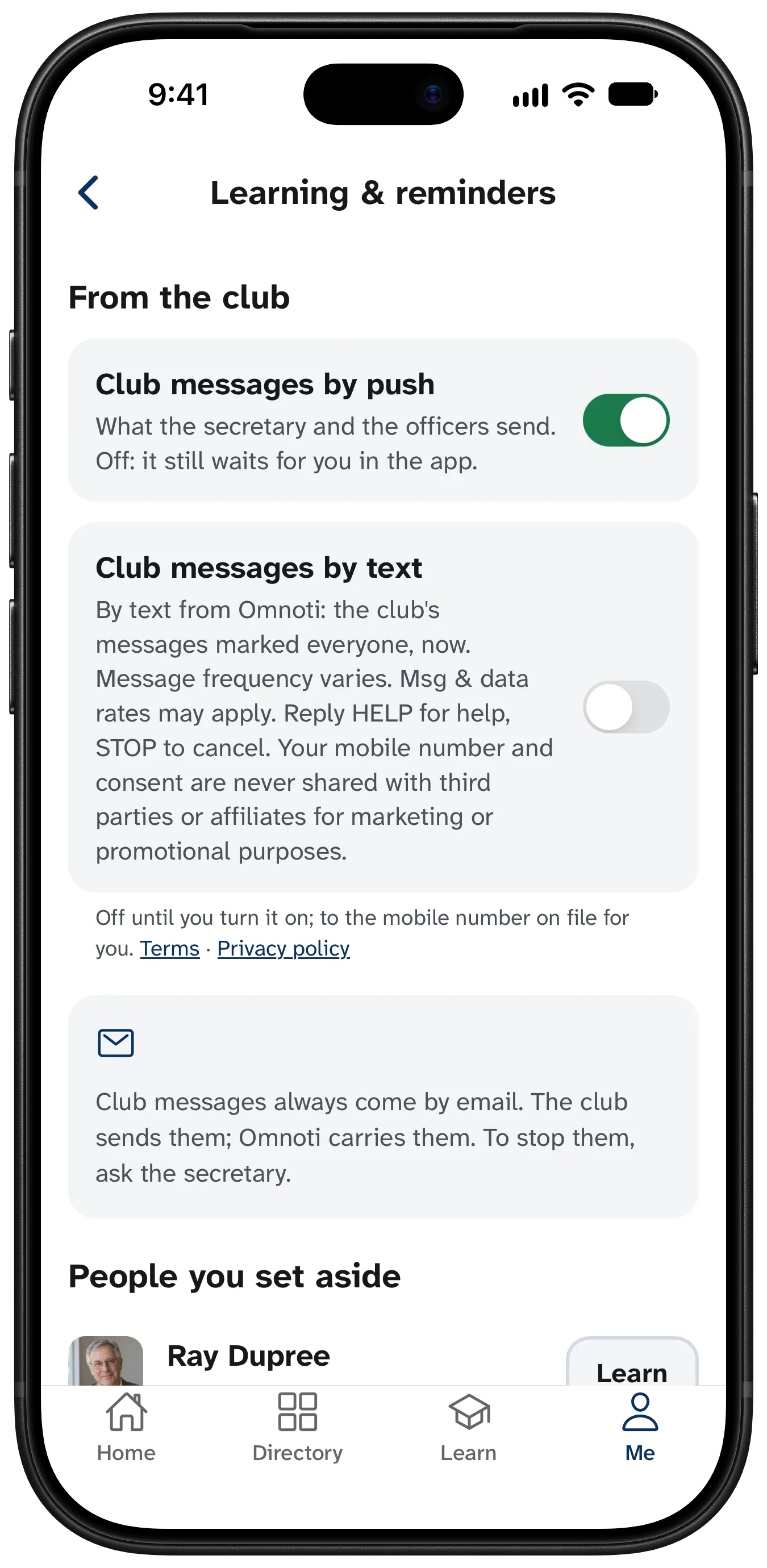
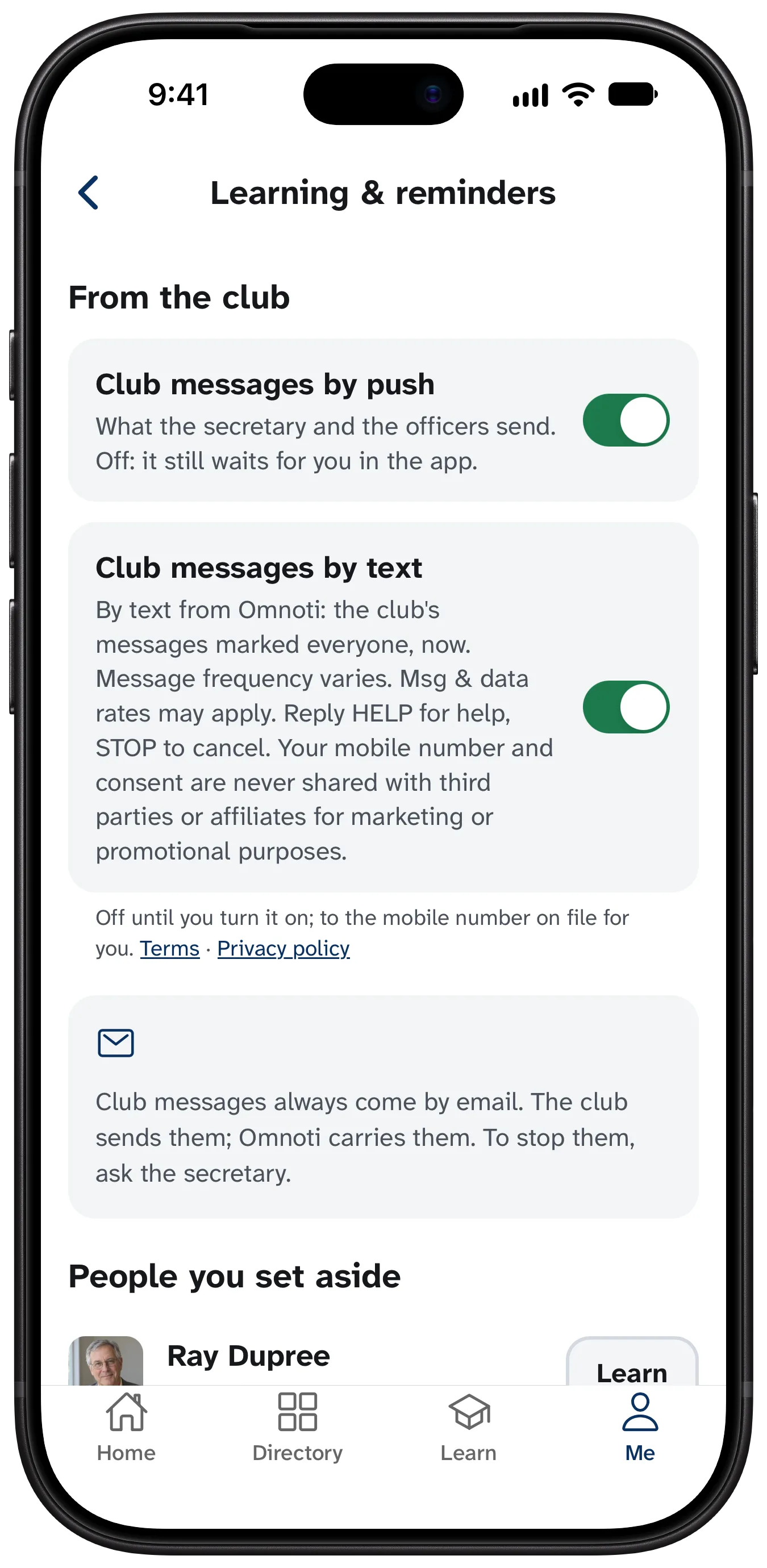
The words beside the switch: “By text from Omnoti: the club’s messages marked everyone, now. Message frequency varies. Msg & data rates may apply. Reply HELP for help, STOP to cancel. Your mobile number and consent are never shared with third parties or affiliates for marketing or promotional purposes.” With links to the terms and the privacy policy.
Stopping, and help
Reply STOP to any text and club texts stop, in every club you belong to; turn the switch back on in the app, or reply START, to have them again. Reply HELP for the help line, or write to hello@omnoti.com. Message and data rates may apply; message frequency varies. Carriers are not liable for delayed or undelivered messages. The terms (section 11) and the privacy policy say the same.